
To make a customer support conversation easy to understand, you must focus on three things: clear vocabulary, short sentences, and a logical structure. When you speak or write to a customer, your goal is to deliver information without confusion. This means avoiding long explanations, choosing common words, and checking that the customer follows your meaning. This guide gives you direct methods, realistic examples, and practice to help you communicate clearly in every support interaction.
Quick Answer: How to Be Clear in Customer Support
Use short sentences. Choose simple words. Repeat the customer’s problem in your own words. Ask one question at a time. Avoid technical terms unless the customer uses them first. End each message with a clear next step. These habits make your conversation easy to follow for any customer, regardless of their English level.
Why Clarity Matters in Customer Support
When a customer contacts support, they are often frustrated or confused. Long sentences and difficult words make the situation worse. Clear communication helps the customer feel understood and reduces the number of follow-up questions. It also builds trust. If you explain a solution in a way the customer can repeat back to you, you have succeeded.
Formal vs. Informal Tone
Your tone depends on the channel. In email, a formal tone is safer. In live chat or phone calls, a polite but slightly informal tone feels more natural. The key is to stay professional without sounding robotic.
| Channel | Tone | Example |
|---|---|---|
| Formal | “We have received your request and will process it within 24 hours.” | |
| Live Chat | Polite informal | “Thanks for waiting. I can help you with that right now.” |
| Phone | Friendly formal | “I understand the issue. Let me check that for you.” |
Natural Examples of Clear Conversations
Example 1: Email – Problem Explanation
Unclear: “Due to the unforeseen circumstances regarding the system update, your account may experience intermittent connectivity issues that could affect the functionality of the service you are currently using.”
Clear: “We are updating our system. Your account may lose connection for a short time. This should last about 10 minutes. We will send you a message when it is finished.”
Example 2: Live Chat – Polite Request
Unclear: “I would like to kindly request that you provide us with the necessary documentation to proceed with the verification process.”
Clear: “Could you please send me your ID photo? I need it to finish the verification.”
Example 3: Phone – Practice Reply
Unclear: “The resolution of this matter is contingent upon the completion of the diagnostic procedure.”
Clear: “I need to run a quick test on your device. It will take about two minutes. Is that okay?”
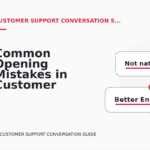
Common Mistakes That Make Conversations Hard to Understand
Mistake 1: Using Too Many Words
Long sentences force the customer to hold too much information in their memory. Break one long sentence into two or three short ones.
Bad: “If you are experiencing difficulty logging into your account because you have forgotten your password, you can click the link below to reset it.”
Better: “Can you log in? If you forgot your password, click this link to reset it.”
Mistake 2: Assuming the Customer Knows Technical Terms
Words like “cache,” “bandwidth,” or “API” are common for support agents but confusing for customers. Use everyday language.
Bad: “Please clear your browser cache and cookies.”
Better: “Please delete your browser history and saved website data.”
Mistake 3: Asking Multiple Questions at Once
When you ask two or three questions in one sentence, the customer often answers only the last one. Ask one question, wait for the answer, then ask the next.
Bad: “What is your order number and what is the issue and when did it happen?”
Better: “What is your order number? … Thank you. Now, can you describe the problem? … When did you first notice it?”
Better Alternatives for Common Unclear Phrases
| Unclear Phrase | Better Alternative | When to Use It |
|---|---|---|
| “We are currently experiencing a high volume of inquiries.” | “We are very busy right now. Please wait a little longer.” | When the customer is waiting for a reply. |
| “Please refer to the aforementioned documentation.” | “Please check the document I sent earlier.” | When reminding the customer about a previous attachment. |
| “Your request has been escalated to the appropriate department.” | “I have sent your request to our team. They will reply within 24 hours.” | When you cannot solve the problem yourself. |
| “We apologize for any inconvenience this may have caused.” | “I am sorry for the trouble. Let me fix it now.” | When the customer is upset about a problem. |
How to Structure a Clear Customer Support Conversation
Step 1: Acknowledge the Problem
Repeat the customer’s issue in your own words. This shows you listened and confirms you understand.
Example: “So you cannot log in to your account after you changed your password. Is that correct?”
Step 2: Give a Short Explanation
State what happened or what you will do. Keep it to one or two sentences.
Example: “This sometimes happens when the new password does not meet our requirements. I can help you set a new one.”
Step 3: Provide the Solution
Give clear, numbered steps if possible. Use simple verbs like “click,” “type,” or “check.”
Example: “First, go to the login page. Second, click ‘Forgot password.’ Third, check your email for a reset link.”
Step 4: Confirm Understanding
Ask the customer if they can follow the steps or if they have questions.
Example: “Does that make sense? Would you like me to repeat any step?”
Mini Practice Section
Read each situation. Choose the clearest response. Answers are below.
Question 1: A customer says, “I ordered a shirt, but it is the wrong size.” What do you say first?
A) “We apologize for the error. Please provide your order number so we can initiate a return process.”
B) “I am sorry about that. Can I have your order number? I will help you exchange it.”
C) “Due to the discrepancy, we must verify the order details before proceeding.”
Question 2: A customer asks, “Why is my internet not working?” You know it is a temporary outage. What do you say?
A) “There is a service interruption in your area. We are working on it. It should be fixed in about an hour.”
B) “We are currently experiencing a network outage that is affecting multiple users in your region.”
C) “Please restart your router and try again.”
Question 3: You need the customer’s account email. What is the best way to ask?
A) “Could you please provide the email address associated with your account?”
B) “What email did you use to sign up?”
C) “Kindly furnish us with your registered email address for verification purposes.”
Question 4: The customer is angry. What is the best first sentence?
A) “I understand you are frustrated. Let me see what I can do to help.”
B) “Please calm down. I am here to help you.”
C) “We value your feedback and will take it into consideration.”
Answers: 1-B, 2-A, 3-B, 4-A
FAQ: Making Customer Support Conversations Clear
1. Should I always use short sentences?
Yes, especially when giving instructions or explaining a problem. Short sentences are easier to read and understand. You can use longer sentences in greetings or closings, but keep the main message brief.
2. What if the customer uses very formal language?
Match their tone slightly, but do not copy long words. If a customer writes “I would like to inquire about the status of my refund,” you can reply, “Thank you for asking. Your refund is being processed. It will take 3 to 5 business days.”
3. How do I know if the customer understood me?
Ask a confirmation question. For example, “Does that answer your question?” or “Can you try step one and tell me what you see?” If the customer hesitates, rephrase your explanation.
4. Is it okay to use emojis in customer support?
Only in live chat or social media, and only if your company allows it. A simple smiley face 😊 can soften a message, but never use emojis in email or formal support tickets.
Final Tips for Clear Customer Support Conversations
Read your message out loud before sending it. If it sounds confusing to you, it will confuse the customer. Replace every long word with a short one if possible. Use the customer’s name once at the beginning, then focus on the problem. Always end with a clear next step so the customer knows what to expect. For more guidance on starting conversations politely, visit our Customer Support Conversation Starters section. If you need help with polite phrasing, check Customer Support Conversation Polite Requests. For practice replying to common issues, see Customer Support Conversation Practice Replies. If you have questions about this guide, please read our FAQ or contact us.


Comments are closed.